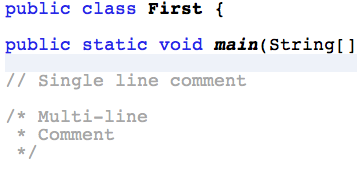
Netbeans
Netbeans is the application you'll be using as you learn to program in Java. To make a start, you must build a new project.
So from the Menu bar choose:
- File → New Project
- Categories → Java
- Projects → Java Application
- Name & location → Your choice
- Leave the check boxes unchanged
- Finish
The Main Class
This class was built when you started a new project and its here that it all begins. There are some things to know about this class:
- It has a method called
main()
- It's from this class that code execution begins
- It will have the same name as your project
- All other classes will be either directly or indirectly connected to this class
main() Method
You'll be writing your code inside this method at first. Inside the method is between the curly braces { } Here's a quick look at it:
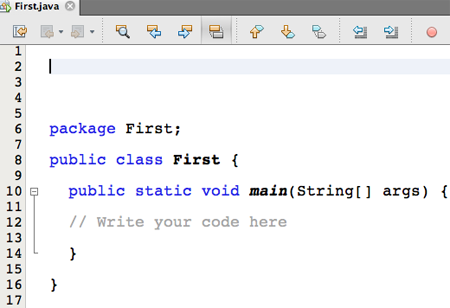
Input & Output
We'll use the Scanner class from the Java library. It's already written and there for us to use. To get this class working:
- Just under the package name type -
import java.util.*;
- You can type into the Console - (which appears at the bottom when you run a program)
- The program outputs to the Console also
See how it works...
The Scanner class
Inputting and outputting text:
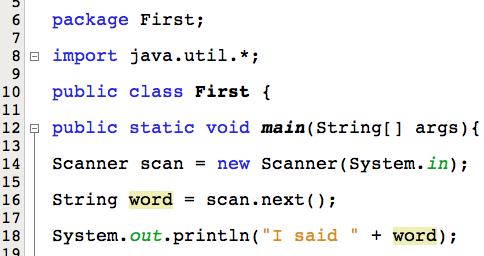
See more..
The Scanner class
Inputting and outputting a number:
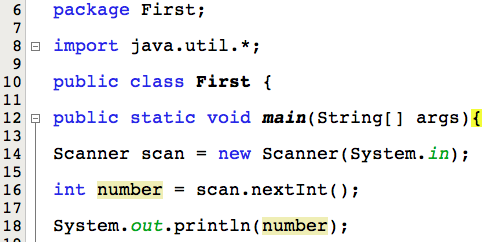
See the console..
The Console
The Console is the area in grey:
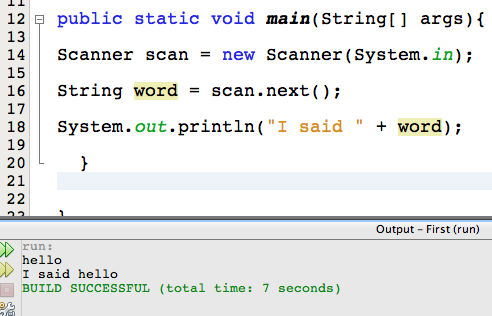
Adding Classes
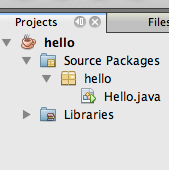
To add a class to the correct project folder look in the Project Window, in the left pane of Netbeans.
See the folder named Source Packages. Inside this folder is a package that has the same name as your project.
- Right click on this package
- Choose: New → Java Class
- Give your class a name
- Finish